Showing posts with label Blurb. Show all posts

Sunday, July 28, 2013

Paper eight paper eight or, paper eight ore white

I have now processed the photographs from the trip to Salla in Lapland. Next I should start planning how the photo book could look like. One of the questions is whether I should focus on the "wild" aspect of nature, and how much should I include the human factor, as there really isn't a completely wild environment any more, even in Lapland. So, what kind of dish should I be serving?

I was less strict about culling the photographs than I'm usually. I saved 439 photographs from the trip, which is 15 % of all, much more than my usual 5-10%. I thought that I should have some reserve material for the photo book, and some of the photographs which I would usually have deleted could work in a book even though not as individual photographs. I also preserved more duplicates than usually, slightly different views of the same subject, as I wasn't sure which one would work best in a book.

I have uploaded most of the photographs to Flickr, which I'm using as a backup service, in addition to the Time Machine backup I have on the iMac. I'm planning to use Aperture to make the original selection of photographs for the chapters of the book, and to explore what kind of book would be possible to get out of these photographs. For layout, I'm planning to use Pages, even though there nowadays are very good (easier and/or more professional) alternatives. And for a printed version I'm once again planning to use the BookSmart software from Blurb. I hope it works as well as it used to.

The process I'm planning to use is to some degree documented in the blog page on making photo books.

(Posting title is from the poem Yet Dish by Gertrude Stein.)

Wednesday, August 24, 2011

Looking up - and into the Aperture user manual

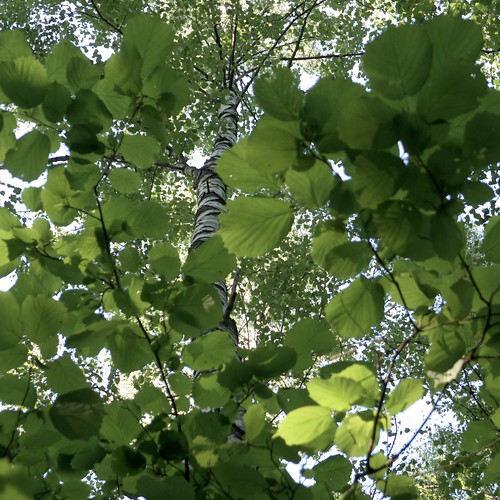
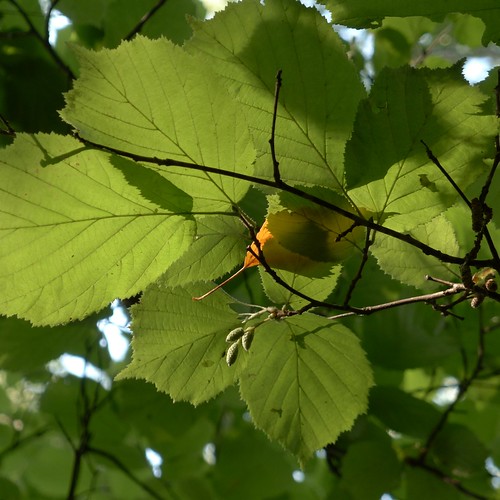
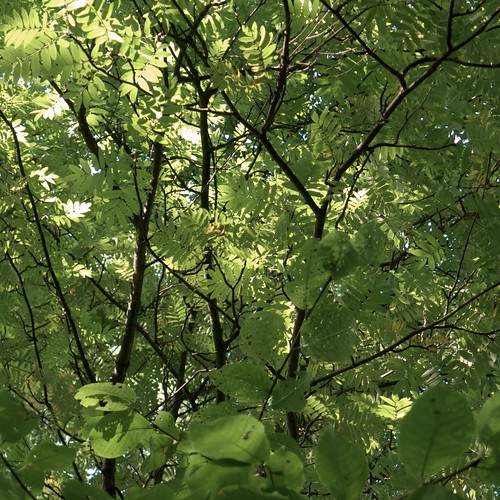
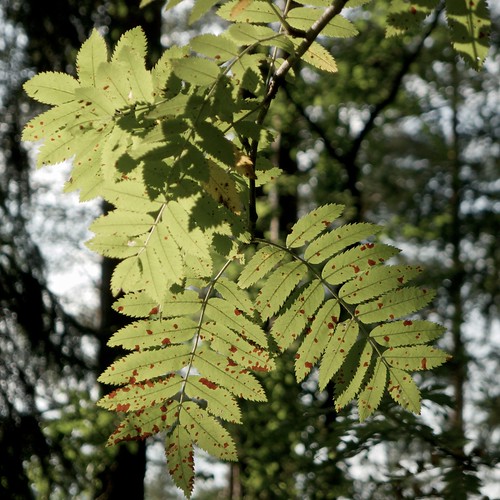
I made today a short walk in a forest nearby, looking up there. And I continued to experiment with LX5 RAW files in Aperture: only one of the above photographs is a JPEG file from the camera.

I had a look at Aperture User Manual, and several unclear things became clear, such as what "master" means and how versions are derived from a master. Seems to be a very smart implementation!

I also learned the meaning of some terms, such as projects, albums, folders and vaults, and it is all a bit mixed up in my head now. But in time I guess I'll learn to use these things properly.

Concerning vaults, one question which arose was the topic of backup. With iPhoto I relied on Time Machine, but Aperture has also vaults for backing up photographs - should one use those or rely on Time Machine?

There is a drawback to the complexity of Aperture: it needs some investment to use it properly, and there is the question of other family members learning to use it also, to view photographs. But because Aperture is so complex you can easily get lost, or do something which you can't recover from, making a mess of things. In that sense iPhoto was much better, really simple and not easy to get lost in, or do much damage to the photographs there.

Another thing: I realized you can make a photo book from start to finish in Aperture, generate a PDF out of it, and get it printed at Blurb. (See here.)

This might be the perfect way of making photo books - no need to use Pages any more. But maybe there is some catch I don't know yet about.

Speaking of photo books, I got the last of my SoFoBoMo books from Blurb, The Secret of Tremanskärr. I printed this in hardcover, and as I found a 20% off coupon somewhere on the net, the price was about the same as for a softcover. But I forgot to check one thing: there was nothing printed on the spine of the book, although it would have been a nice touch. (With thin softcover books Blurb is not able to put text on the spine.)

Anyway, the hardcover book was nice indeed - I used "imagewrap" to get the photographs on the covers go around the edges. And print quality was once again reliable. My only wish was to have better photographs in the book...

Wednesday, August 10, 2011

Pondering an artist's statement

I got a confirmation e-mail from Blurb saying that the photo book From Pukaro to Valkmusa has been printed and shipped. It should be here on Friday. Can't wait.

By the way - this applies to those who can use the Groupon service - there is an offer of getting USD 45 worth of photo books from Blurb for USD 20; this is valid for a couple of days. Sadly, I can't use this here in Finland.

When editing From Pukaro to Valkmusa I was thinking of including some kind of artist's statement in the text, saying something like "this book explores two complementary aspects of life in Finland: rampant commercialism (and fixation on things); and the idea of nature preservations, specifically related to sustainable living".

However, this felt just too pretentious, and I omitted all such things from the text. Let the viewer look at the photographs, that suffices...

Mike Moats made a nice posting on the topic of an artist's statement, formulating it thus: Hi I’m Mike Moats, and I just like to take pretty pictures. The End.

That would be good enough for me also.

Monday, July 25, 2011

Printing the SoFoBoMo photo book via Blurb

Last week I discussed my SoFoBoMo 2011 project, a photo book titled Treasure Pond. It is available at the SoFoBoMo site, and also as a Blurb version.

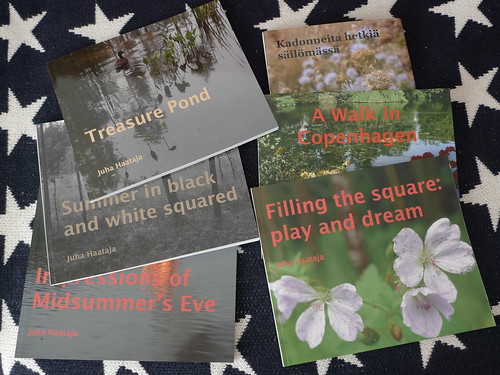
In the above photograph you see all the photo books I have made so far using the Blurb service. If you want to know more about making photo books, see my instructions page.

It took some time for the printed Blurb book to arrive. I got the shipping confirmation on Monday, July 18th, and the book arrived on Friday, July 22nd. Last year the delivery was much faster - I got the shipment the next day after receiving the shipping confirmation. I guess the "priority" delivery isn't so priority after all (it is the cheapest option).

The quality was as expected, not big surprises. Some things need to be improved next time, if there is one, for example I forgot to check the placement of the matrix barcode on the back cover, and it was overlapping with the last character of the text there. And the placement of the title text should have been a bit further away from the gutter.

The image quality was good - I was using the premium "lustre" option - and there were no physical blemishes in the printed book.

The photographs of course could have been better; maybe I should have deleted a dozen more. However, I have often felt a bit of disappointment after looking at the printed copy of the finished work.

It is good to let the book rest a bit and only then make an appraisal. The SoFoBoMo books from last year seem now much better than they felt right after the event.

Anyway, I like the Blurb service, as the output seems to be of reliable high quality. If I were making individual prints then there would be room for much more finetuning regarding the print quality, but for making a photo book, the Blurb service works fine. (Especially given my radically simple jpeg workflow.) And despite that there was a little bit of extra work needed with Blurb, I think it isn't such a big deal.

Tuesday, August 3, 2010

SoFoBoMo books - all printed


Chair, originally uploaded by jiihaa.

Today I got my hands on the last of my SoFoBoMo books, the black-and-white one, and it was good. Of course, I noticed several things that could be improved in the layout, and some photographs looked weak compared to the others, but quality-wise the Blurp-printed book was as good as I could wish for.

I was using premium paper once again - which is well worth the little extra cost - and the delivery was fast from the Neatherlands: I got the shipment notification e-mail yesterday.

In fact, the photographs appeared better on the printed book than on the computer screen, as the dark tones seemed to open up a bit, not being so crowded together as on the screen. I guess this is the way it should be, not the other way around.

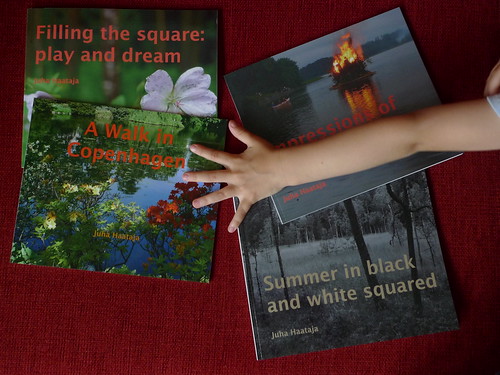
And here are all four of my SoFoBoMo books, in the hand(s) of eager readers:

Friday, July 3, 2009

A note on SoFoBoMo '09


Yellow leaf, originally uploaded by jiihaa.


Pieces, originally uploaded by jiihaa.

As I wrote here earlier, I made a printed version of my SoFoBoMo '09 book with Blurb. I have received a printed copy, and it wasn't bad, although the colors were overall a bit dark, due to the paper which was a bit too thin for such images. The cover succeeded excellently, though. But I won't do any more tweaking of the book - the PDF version is (with its flaws) good enough, and that is what matters.

I have browsed a couple of dozen of the finished SoFoBoMo photobooks, with great pleasure. One aspect which I find good about these book is that they are more spontaneous and non-polished that much of the usual photography shown.

Thus, you can see glimpses of work-in-progress, and even occasional failures, which are very instructive. You learn more from the failures than from the masterpieces. By the way, this is one of the strengths of Freeman's book "The Photographers Eye", it contains different versions of the same scene and you can decide by yourself what are the strengths of each version.

Here are two images from today, striving towards simple things.

Thursday, June 18, 2009

SoFoBoMo - publishing a PDF file at Blurb and Issuu


Garden, originally uploaded by jiihaa.

Some time ago I finished my SoFoBoMo book, but there were a couple of loose ends. I discovered a way of generating a small and good-quality PDF file from a Pages-generated output file. A related hint discussed the output of each pages as a separate jpeg file. Both solutions were based on the GhostScript software, which is preinstalled on Mac OX X.

I managed to make a Blurb book of my SoFoBoMo PDF file with these images files, importing the images to the BookSmart software (version 2.0) using the full-bleed layout and the 25 x 20 cm book size. I have ordered one printed copy of the book (the softcover version). I hope the book turns out well.

Also, I uploaded the PDF file to Issuu (see here) for easier browsing and viewing.

The image here was taken today, a hasty roadside snapshot.

Thursday, March 26, 2009

About printed and PDF photobooks


A hole in snow, originally uploaded by jiihaa.


Ducks in water, originally uploaded by jiihaa.

Today I wasn't much interested in photography, but took some photographs nevertheless. Here are two images, showing that spring is progressing little by little.

There has been discussion about photobooks on various forums related to SoFoBoMo '09, especially concerning the prind-on-demand (POD) publishers and their problems in handling PDF files. I'm interested in making both a PDF version of my SoFOBoMo book, and a printed one. And I don't much like the idea of doing the same thing twice, first for PDF and then for POD.

Markus Spring wrote a good comment on this: "So using any page layout software seems the way to go: Checking for the dimensions of the intended book-to-be-printed, doing the layout and exporting the pdf, and later on decide about physical printing."

I'm still hesitating between Scibus and Pages as my typesetting program. Pages is simpler, but Scribus has already proven (in SoFoBoMo '08) to handle both the PDF and printed photobook. For the POD publisher, I'll almost certain use Blurb, having had good experiences of their quality. (However, that was done using their own software for typesetting.)

Update: The column I wrote about photography in public places appeared today (in Finnish, Valokuvaaminen sallittu, kiitos!). It remains to be seen whether that generates any discussion on the topic.

Monday, January 26, 2009

Photobook from Blurb


Young snow, originally uploaded by jiihaa.


Snow embrace, originally uploaded by jiihaa.

Today I got from Blurb the photobook I made, using recent landscape photos as material. The book was good quality, the colors seemed to be just right. I had both very light and very dark photos in the set, and both succeeded well. Not bad at all. Next time I know a bit more, but at least technically there doesn't seem to be any problems in producing good-quality photobooks with the Blurb system. And it was really easy and fast to do, a good quality software.

I have been thinking about the next project, but so far I haven't had time to start to work on it. Perhaps one photobook per year might be a good rate. On the other hand, it is really so easy that I could do the next one quite soon.

These two photos are from today. Somehow I felt that they belong together, although I don't know why.

Monday, January 12, 2009

Playground at night


Tree at playground, originally uploaded by jiihaa.


Playground, originally uploaded by jiihaa.

Here is finally, a third pair of photos from today. I feel that today was a lucky day in terms of photography. It was a dark, wet, windy day, almost all snow melted away, but going out and taking photos felt good. And I'm in fact proud of the photos, they are more or less what I wanted to capture.

I took much less photos than usually, most of which were quite ok without much post-processing, except the removal of a color cast if there was any. I'm still shooting RAW+jpeg, but haven't yet had a need to dig into the RAW files.

Moving towards another topic, I'm eagerly waiting for the arrival of my photobooks, one from Blurb and two other from Apple's iPhoto service. Today I read an interesting description of a photobook process at The Landscapist.

First I felt that this is a really complex way of doing a simple job, but then - after thinking about this a bit - I realized that perhaps there is sense in the process after all. What I had difficulty in grasping is thinking about Photoshop as a typesetting and page layout tool. My background is in scientific and technical typesetting - especially LaTeX and PDF-based tools - and Photoshop seems primitive in comparison. But now I believe there is a method in the madness.

Saturday, January 10, 2009

The difficulty of buying furniture; the ease of making photobooks


Three windows, originally uploaded by jiihaa.

A lot of this day went in shopping for furniture. I had forgotten how hard it can be, to find just the right thing, easy to sit on, practical, with the right materials and colors. Exhausting!

But there are also easy things. Yesterday I made a photobook with Blurb, mostly landscapes from summer and autumn from the nearby areas. I ordered one copy to see how the result looks and handles.

In addition, I made also a photobook in iPhoto, of family photos. The iPhoto software was extremely easy to use, even more so than the Blurb software. I moved photos around with ease and changed them to new ones, without encountering any problems.

It was a revelation. I have made several dozen books at work, mainly textbooks, and there has always been some problem areas in getting the result right - what material, what size margins, how the covers turn out, and especially the colors, how they may change beyond recognition. But the current print-on-demand technology seems to have progressed well beyond these problems, into a streamlined extremely user-friendly systems.

How the new systems work in practice is hard to say until I have the ordered photo book at hand. But there were none of those inconvenient problems in communicating with the printhouse (at least so far).

I'm getting really interested in the photobook concept. Instead of making single photos, why not start planning whole books? Invent or discover a theme, take enough photos to fill a photobook, order the photos, write the texts, edit a few times, and publish. Worth trying, I think.

This photo was taken today at noon - just before the clouds covered the sky once again.

Friday, January 9, 2009

Making a photo book with Blurb


Trees in ice, originally uploaded by jiihaa.

Well - I went and did it. I took my collection of photos at Flickr, the recent favorites set, and selected enough photos (of a similar enough content in terms of a theme) from there to fill a 40-page book at Blurb. I used the standard settings for a photo book (Hardcover, Dust Jacket).

The software was really easy to use, although there were a couple of hiccups. I needed to restart the software once, because a page where I deleted a photo refused to accept a new photo.

I didn't do much pondering on the aim of the book, using mostly chronological order for photos from this summer and autumn. I did use the page spreads as building blocks, so there is a sort of coherence. But the book is all photos, only a short intro text in the dust jacket, and titlepage etc. of course.

What I am interested in seeing is how the end result looks and handles as a book - is it a package which feels good in hand? Whether the colors are correct etc. does not worry me so much - I'm not even sure my displays are set up correctly.

This photo is from yesterday and does not have much to do with the book - it is not included.

Update: As I got started, I made another photo book, this time in iPhoto using the family photos as the starting point. It is really easy to make such books in iPhoto. I used about 50 photos to fill up a 20-page medium-size wire-bound photobook. I will be interesting to compare the Blurb and iPhoto books. Of course, they are meant for different audiences, but in principle you can use them as alternatives also.